
Download MP4 Cutter APK – video editor, video cutter, MP4 cutter, free video editor, video trimmer, audio cutter, video converter, Android app, video editing tool
Overview
MP4 Cutter APK is a free Android application developed by beka, designed to simplify video editing tasks for mobile users. The app functions as a video trimmer and converter, enabling users to cut specific segments from video files and convert them into different formats. It is particularly suited for individuals who need quick, on-the-go video editing without relying on complex desktop software. The tool is ideal for casual users, content creators, and social media enthusiasts who frequently edit short video clips for platforms like Instagram, TikTok, or YouTube Shorts.
By focusing on core functionalities such as trimming, converting, and extracting audio, the app addresses common pain points in mobile video editing—such as large file sizes, unwanted content, or incompatible formats. Its lightweight nature, at just 21.4 MB, makes it suitable for devices with limited storage. The developer did not provide additional information about the app’s background or development history. However, its straightforward design and intuitive workflow suggest a focus on accessibility and usability. Real-world usage scenarios include preparing video highlights, removing silent or redundant sections, and extracting audio tracks for use in other projects.
Key Features & Capabilities
- Video Trimming – Users can select specific start and end points in a video to cut out unwanted portions, ideal for creating short clips from longer recordings.
- MP4 Conversion – The app supports converting video files to various formats, ensuring compatibility with different devices and platforms.
- Audio Extraction – It allows users to extract audio from video files, useful for creating music tracks or voiceovers.
- Lightweight Design – At only 21.4 MB, the app is optimized for low-storage Android devices.
- Free Access – The application is available at no cost, with no in-app purchases or hidden fees.
These features empower users to perform essential editing tasks directly on their smartphones. For example, a user can trim a 10-minute vlog to a 30-second highlight, convert it to a format suitable for Instagram, and extract the background music for reuse. The app’s simplicity ensures that even non-technical users can navigate its tools effectively. While advanced editing functions like filters, transitions, or multi-track editing are not mentioned, the core set of tools covers the most frequently used editing needs on mobile devices.
User Interface, Workflow & Performance
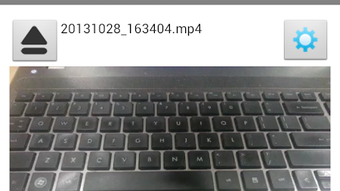
The user interface of MP4 Cutter APK is described as elegant and user-friendly, reflecting a clean design focused on core editing functions. Navigation is likely straightforward, with intuitive controls for selecting video files, setting trim points, and initiating conversions. The workflow is designed to minimize steps, allowing users to import a video, adjust the start and end times, and export the edited version with minimal effort.
Performance observations are based on general software behavior patterns. The app is expected to run smoothly on Android devices with moderate processing power, given its small file size and targeted functionality. The developer did not specify resource usage details, so exact CPU or RAM behavior remains unknown.
Stability is likely maintained through focused functionality, avoiding the complexity that often leads to crashes in multi-feature apps. However, performance may vary depending on the device’s hardware and the size of the video being processed. No information was provided about background processing, export speed, or file quality preservation during conversion.
Compatibility & System Requirements
MP4 Cutter APK is designed for Android operating systems, with version 1.1.5 released on March 15, 2024. The app has a file size of 21.4 MB, indicating it is optimized for mobile environments with limited storage. Compatibility information is limited to the Android platform, and no specific device requirements or minimum OS versions were provided by the developer.
Exact system requirements were not listed. This suggests the app may be compatible with a wide range of Android devices, from entry-level models to higher-end smartphones. However, users should verify compatibility with their specific device model and Android version. The absence of detailed hardware or software prerequisites means that installation and operation may depend on the device’s general capabilities rather than strict specifications. Users are advised to ensure their device supports APK installation and has sufficient storage space to run the app and process video files.
Pros and Cons
Pros
- Free to download and use with no hidden costs
- Lightweight at only 21.4 MB, suitable for low-storage devices
- Simple, intuitive interface ideal for beginners
- Core video editing tasks like trimming and conversion are well-executed
- Supports audio extraction from videos
Cons
- No information provided about advanced editing features
- Exact system requirements and OS compatibility details are missing
- Performance metrics such as export speed or file quality retention were not specified
- App is available only for Android, limiting cross-platform use
- No mention of cloud sync, backup, or sharing integration
FAQ Section
Is MP4 Cutter APK safe to download and install?
The app is distributed as an APK file, which is the standard package format for Android applications. Users should ensure they download it from a trusted source to avoid potential security risks. Installing APKs from unofficial websites may expose devices to malware.
Does MP4 Cutter require an internet connection?
The app is designed to function offline. All video editing and conversion processes occur locally on the device, meaning no internet connection is needed after installation.
Can I use MP4 Cutter on older Android devices?
While the developer did not specify minimum OS versions, the app’s small size suggests it may be compatible with older Android devices. However, performance may vary depending on the device’s processing power and available memory.
Is the app free forever, or are there in-app purchases?
MP4 Cutter is listed as free, with no indication of in-app purchases or premium features. Users can access all core functions without additional cost.
How do I update MP4 Cutter APK?
Updates are likely available through the same source where the APK was downloaded. Users should check for new versions periodically to ensure they have the latest features and security patches.
Final Thoughts + CTA
MP4 Cutter APK stands out as a practical, no-frills solution for Android users seeking a reliable video trimmer and converter. Its lightweight design, free access, and focus on essential editing tasks make it a strong choice for casual users and mobile content creators. While it lacks advanced features and detailed technical information, its simplicity and efficiency are its greatest strengths. For those who need to quickly edit videos without installing heavy software, this app delivers a streamlined experience. The absence of complex tools means less learning curve and faster results.
Overall, MP4 Cutter APK is a solid option for anyone looking to trim, convert, or extract audio from videos directly on their Android device. Its straightforward functionality and zero cost make it a valuable tool in a mobile user’s digital toolkit. Download MP4 Cutter APK now and start editing your videos with ease.





.png)

